
Creating a cozy and functional home workspace is essential for anyone working remotely or managing tasks from home. A well-designed area can boost productivity, reduce stress, and make your workday more enjoyable. Whether you have a dedicated room or just a small corner, these tips will help you build a workspace that feels inviting and supports your daily tasks.
Choose the Right Location
Consider Natural Light
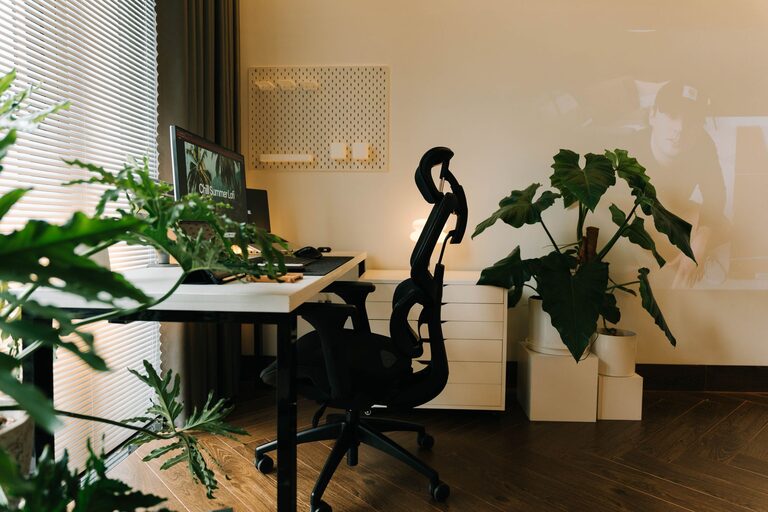
Natural light improves mood, reduces eye strain, and increases alertness. Try to place your desk near a window to take advantage of daylight. If this isn’t possible, invest in quality lighting that mimics natural light.
Find a Quiet Spot
A quiet environment helps you focus better. Choose a location away from noisy areas like the kitchen or living room TV. If space is limited, noise-canceling headphones can be a great investment.
Invest in Comfortable Furniture
Ergonomic Chair
Comfortable seating is crucial. Look for a chair that supports your lower back and encourages good posture. Adjustable height and armrests are valuable features.
Desk Size and Height
Your desk should have enough surface area for your computer, notebook, and other essentials. Also, ensure the height supports a comfortable typing position to avoid strain.
Personalize Your Space
Add Cozy Elements
Soft cushions, a small rug, or a throw blanket can make your workspace feel warm and inviting. These touches create a relaxing atmosphere where you enjoy spending time.
Use Inspiring Decor
Choose artwork or photos that motivate you. Plants are another excellent addition—they purify air and add a touch of nature to your environment.
Organize Efficiently
Use Storage Solutions
Keep your desk clutter-free with drawers, shelves, or filing organizers. This minimizes distractions and helps you find things quickly.
Declutter Regularly
At the end of each day, spend a few minutes tidying your workspace. A clean area helps your mind feel clear and focused.
Optimize Technology Setup
Cable Management
Tangled cords can be frustrating and distracting. Use clips or cable sleeves to keep cords neat and out of sight.
Good Internet Connection
A reliable, fast internet connection is essential for video calls and accessing online resources. If possible, set up your workspace close to your router or use a wired connection.
Maintain Proper Lighting
Use Task Lighting
In addition to ambient light, use a desk lamp to illuminate your workspace. Adjustable lamps allow you to direct light where you need it most.
Avoid Glare
Position screens to reduce glare from windows or lights. Glare can cause eye strain and headaches over time.
Establish Boundaries and Routine
Separate Work and Leisure
If your workspace shares space with living areas, use room dividers or screens to mark the boundary. This helps your brain switch between work mode and relaxation.
Set a Schedule
Create a routine that includes breaks and a clear finish time. Working in the same space all day demands discipline to avoid burnout.
Keep Comfort in Mind
Temperature Control
Make sure your workspace is neither too hot nor too cold. A fan, heater, or window vent can help keep the temperature comfortable.
Hydration and Snacks
Keep a water bottle handy and some healthy snacks nearby. Staying hydrated and nourished supports your focus and energy levels.
Final Thoughts
Designing a cozy and functional workspace isn’t about buying the most expensive items; it’s about creating an environment that supports your work style and well-being. By prioritizing comfort, organization, and personalization, your home workspace can become a place you look forward to spending time in each day. Experiment with these tips and find what works best for you to achieve the ideal balance between coziness and productivity.
Related Posts
Tips for Creating a Cozy and Functional Home Workspace
Creating a cozy and functional home workspace can make a…
Tips for Creating a Cozy and Productive Home Office Space
Creating a cozy and productive home office space is essential…
Tips for Creating a Productive Home Office Space That Boosts Focus and Comfort
Creating a productive home office is essential for anyone working…